 Librariann
Self-hosted reading server
Every book you own, on your hardware.
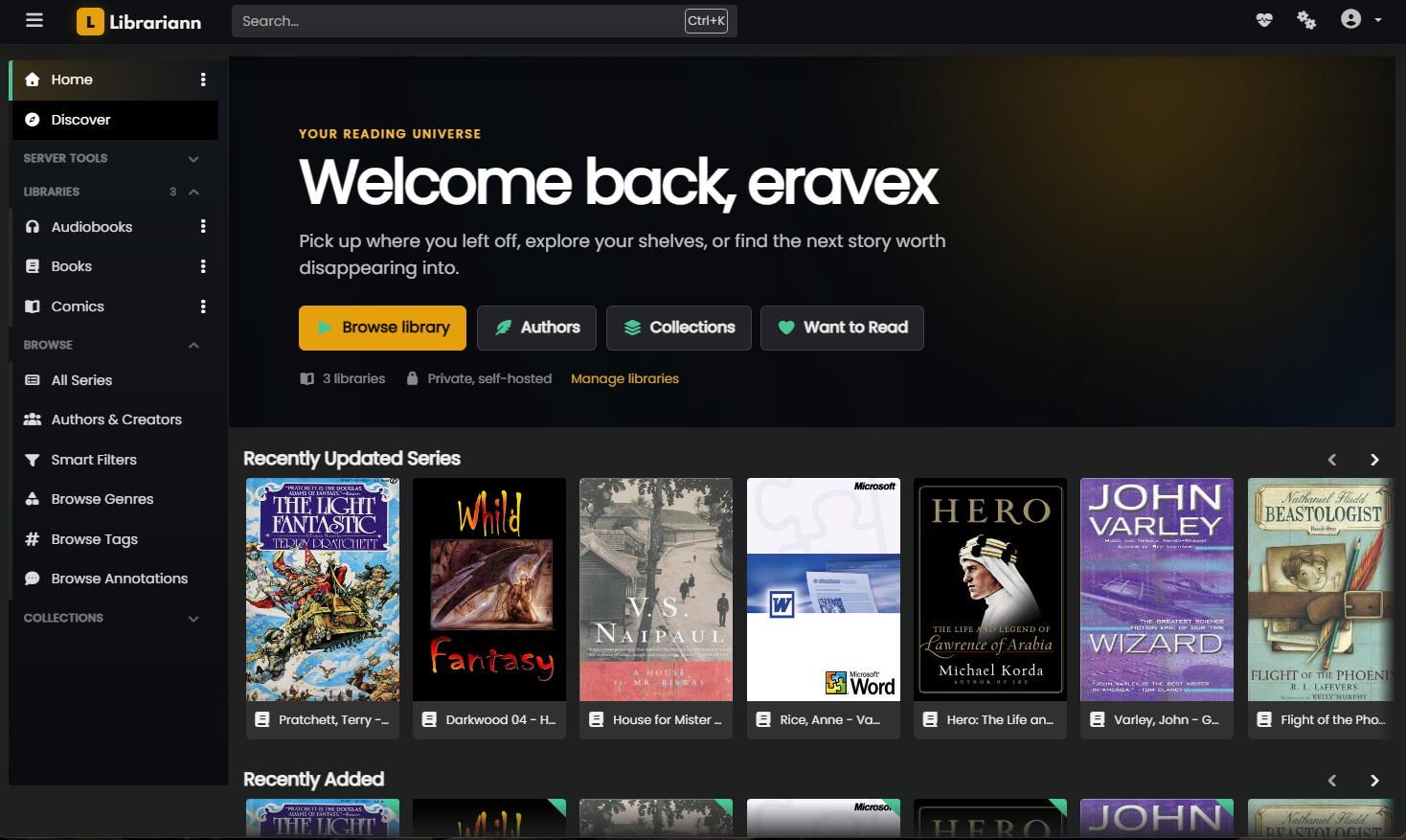
Librariann keeps your ebooks, comics and audiobooks on a server you control. It reads them aloud in a neural voice, streams them to any device, and drops itself straight into the Plex sidebar you already use.
Listen
Find just the right voice for anything on the shelf.
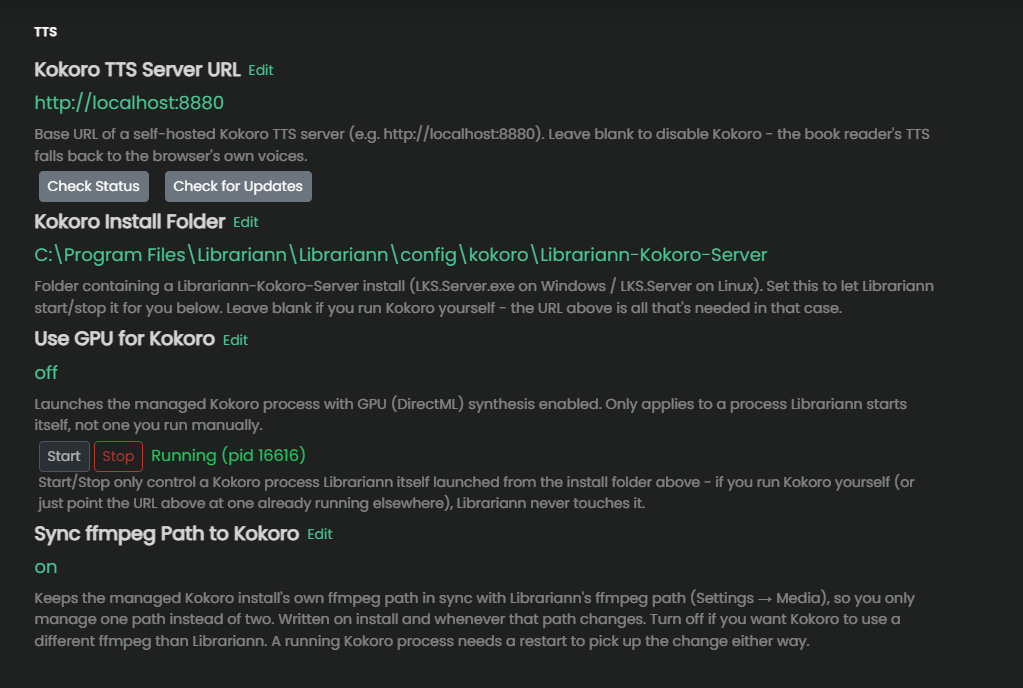
Any epub in your library can be read aloud. Librariann uses your device's built-in speech out of the box, and connects to a self-hosted Kokoro server when you want a natural neural voice instead. Librariann installs, launches and supervises that server itself, from a button in settings. The sentence being spoken stays highlighted in the reader as it goes.
- One-click Kokoro install, with live download progress
- Librariann starts, stops and restarts the voice server for you
- Sentence-level highlighting synced to playback
- Voice, speed and volume chosen per listener
- Runs on your GPU or your CPU, and audio never leaves the machine

Play
Audiobooks, not just ebooks.
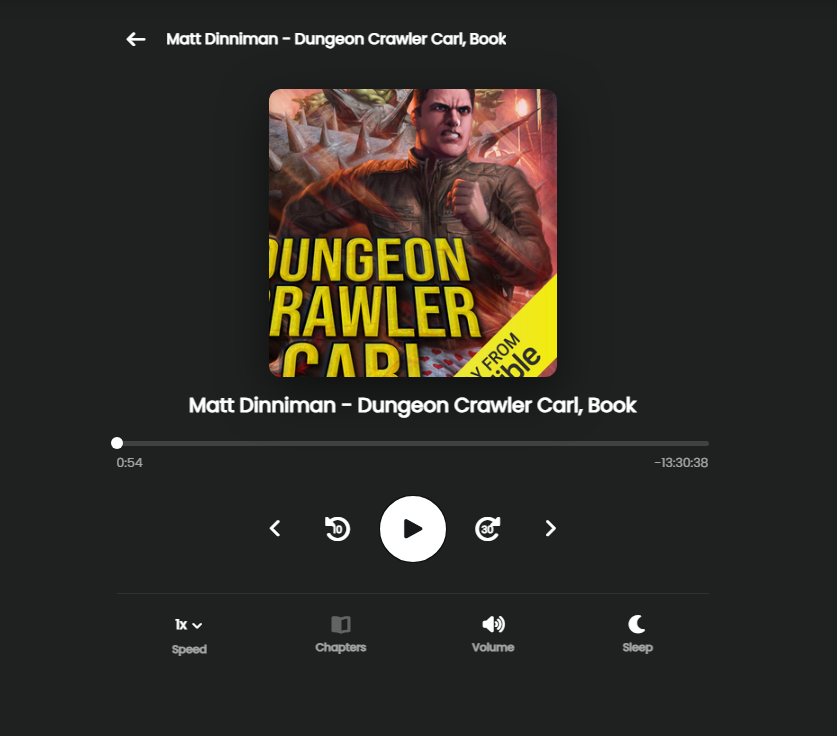
M4B and MP3 audiobooks are first-class citizens, not an afterthought bolted onto a comic reader. Librariann reads embedded chapter markers when it scans, streams the original file untouched, with no transcoding and no quality loss, and tracks your position alongside everything else you're reading.
- Embedded M4B chapter markers become real navigation
- Position resumes across devices, mid-chapter
- Original file streamed byte-for-byte, never re-encoded
- ffmpeg installed for you from settings, or point at your own
- Shares libraries, collections and reading lists with your books
Integrate
It lives inside Plex.
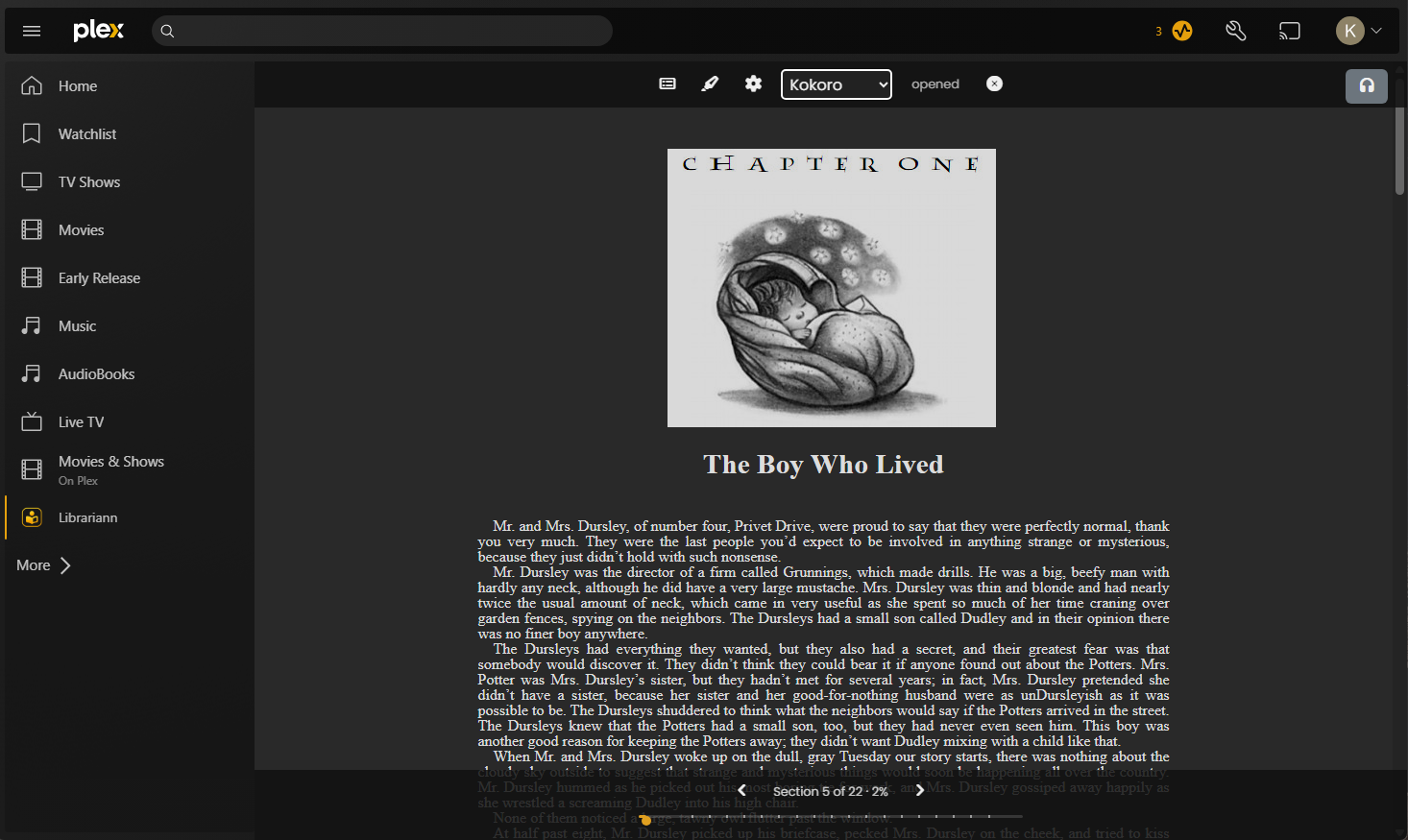
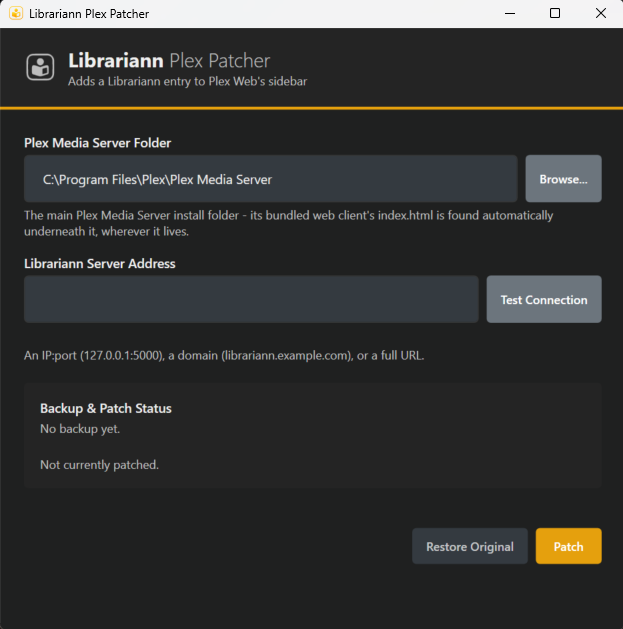
Run the Plex Patcher once on the machine hosting Plex Media Server and Librariann appears in the Plex Web sidebar, below Movies and TV, opening in the same window and the same session. The patcher backs up the original file before it touches anything, and restores it on demand.
- Point it at your Plex folder, give it your Librariann address, click Patch
- Backs up the original index.html and restores it any time
- Plex update wiped it? Run it again. Patching is idempotent
- Works over LAN, a public address, or a tunnelled domain
- Step-by-step setup lives inside Librariann's own settings
Privacy
No telemetry. Not switched off. Absent.
Librariann has no usage reporting, no analytics endpoint and no phone-home. What users read, what you own and how your server is configured never leave your hardware.
- usage statistics upload
- install fingerprint reporting
- anonymous feature tracking
- remote crash collection
- third-party analytics
- nothing to opt out of
Everything else it does
A full library server underneath.
Epub reader
Paginated or scrolling, custom fonts, themes, per-series layout memory, and positions precise enough to survive a font change.
Highlights & notes
Select any passage to highlight it in one of five colours, attach a note, and find it again from the annotations browser.
Comics & manga
CBZ and CBR with webtoon mode, double-page spreads, page splitting and right-to-left reading direction.
PDFs
A real PDF reader with themes, spread and scroll modes, not a download link pretending to be a reader.
Metadata
Pulls from Open Library, with field mappings, age-rating rules and per-field locks for when you would rather decide yourself.
Collections & lists
Smart filters, reading lists, want-to-read, bookmarks, and CBL import for lists you built elsewhere.
OPDS
Auth-key based OPDS feeds, so KOReader, Panels, Mihon and friends can read straight from your server.
Users & roles
Per-library access, age restrictions, read-only accounts, and OpenID Connect if you already run an identity provider.
Acquisition
Indexers, download clients, quality profiles and monitoring, so wanted books can arrive on their own.
Install
Running in about five minutes.
Librariann is a single server process with a SQLite database beside it. Point it at the folders your books already live in. It does not move, rename or rewrite your files unless you explicitly ask it to.
01
Get the server
Download a release build for Windows or Linux, or run it in Docker. No account, no license key, no sign-up.
02
Point it at your books
Create a library, add the folders, scan. Your existing folder structure is read as-is.
03
Patch Plex (optional)
Run the patcher on your Plex machine to put Librariann in the sidebar. Settings → Info → Plex Patch walks you through it.
Librariann listens on port 5000 by default. Settings live in one file beside the binary:
# config/appsettings.json
{
  "Port": 5000,
  "IpAddresses": "",
  "BaseUrl": "/",

  // origins allowed to embed Librariann; your Plex address goes here
  "EmbeddingOrigins": [
    "http://127.0.0.1:32400"
  ]
}